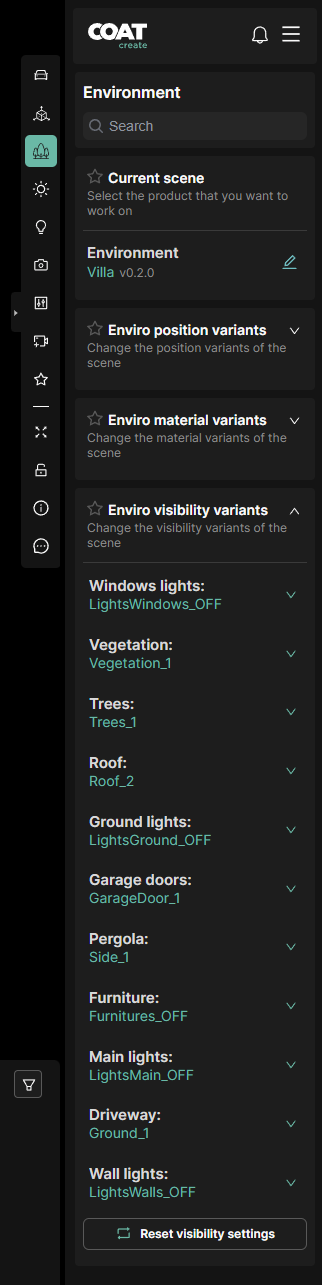
Environment
-
Search - Filters the below list of options including visibility variants in the environments.
-
Current Scene - Displays current environments, click to switch to another.
-
Visibility Variants - A list of options available for an environment. The drop downs allow you access to any available variants.
The Variants are specific for each environment and are created when the environment is intially built. Not all Environments will have variants, but when present they can include things such as:
-
Changes to environmental textures
-
Alternate building facades or structures
-
Regionally specific plants and trees
-
Alternate details for arcitechture such as doors or ground surfaces
-
Turn on or off architectural lighting features
-
Roadway signage changes
-
Props